Ok, so it’s time for round #8 of our community challenge. Having won last week’s challenge, it’s my turn to open the new one.
Formatting is shamelessly stolen from @Anahkiasen@lemmy.blahaj.zone, thank you for your hard work :)
Theme
This week’s theme is “Distant lands”. I adore stories about exploration, travels and faraway lands (real and imaginative) and would love to see what sparks your imagination.
Rules
-
Follow the community’s rules above all else
-
One comment and image per user
-
Embed image directly in the post (no external link)
-
Workflow/Prompt sharing encouraged (we’re all here for fun)
-
At the end of the week each post will be scored according to the following grid
Prize Points Most upvoted +3 points Second most upvoted +1 point Theme is clear +1 point OP’s favorite (me, this week) +1 point Most original +1 point Last entry (to compensate for less time to vote) +1 point new Prompt and workflow included +1 point -
Posts that are ex aequo will both get the points
-
Winner gets to pick next theme! Good luck everyone and have fun!
Past entries
You must log in or # to comment.
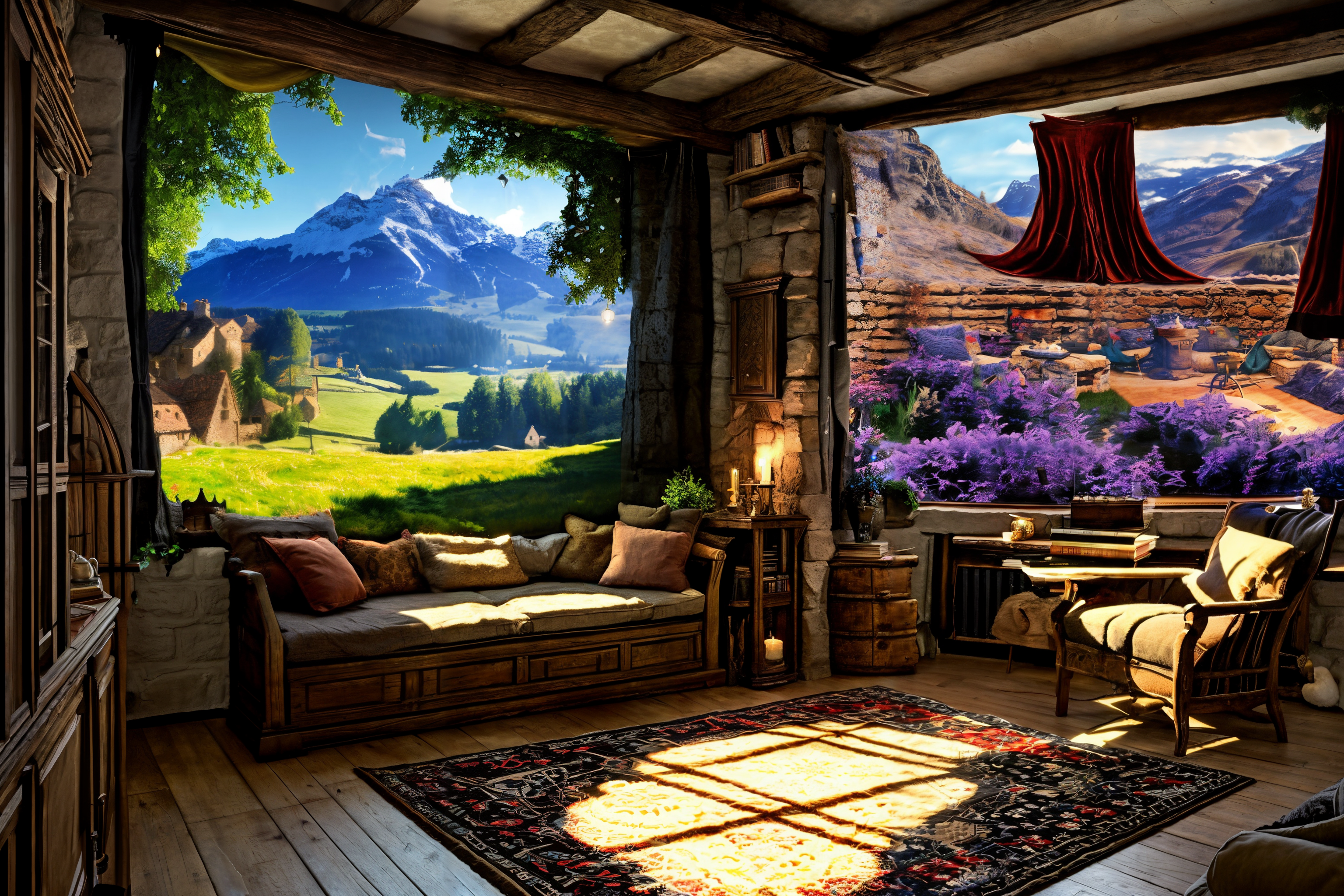
The idea is: A cozy room with magical windows showing distant exotic lands.
Made with comfyui. The Workflow should be embedded in the image.
This is a bit more complicated regarding the generation process.
- Model: realisiticVisionV51VAE
- Sampler for all: uni_pc
- Steps: for the Base Image 20, everything else 60
Base Image with Multi Area Conditioning:
Negative Prompt: ugly
Base Prompt: cozy medieval living room with 2 windows
Multi Area 1 and 2 Prompt: Train window
This generates a base image which is the base for the further processing.
Window Image 1:
- Positive: Magical, mystical Landscape
- Negative: Person, blurry, boring, close-up, dark (optional), details are low, distorted details, eerie, foggy, gloomy , grains, grainy, grayscale, homogenous, low contrast, low quality, lowres, macro, monochrome (optional), multiple angles, multiple views, opaque, overexposed, oversaturated, plain, plain background, portrait, simple background, standard, surreal, unattractive, uncreative, underexposed
Window Image 2:
- Positive: Raw Photo an alien landscape with alien tentacly purple plants, shot on canon eos
- Negative: Person, blurry, boring, close-up, dark (optional), details are low, distorted details, eerie, foggy, gloomy , grains, grainy, grayscale, homogenous, low contrast, low quality, lowres, macro, monochrome (optional), multiple angles, multiple views, opaque, overexposed, oversaturated, plain, plain background, portrait, simple background, standard, surreal, unattractive, uncreative, underexposed
I take the latent from the base image and combine the latents of the window images with the base image.
After that i do a final sampling to blend all together and 2 Upscales.
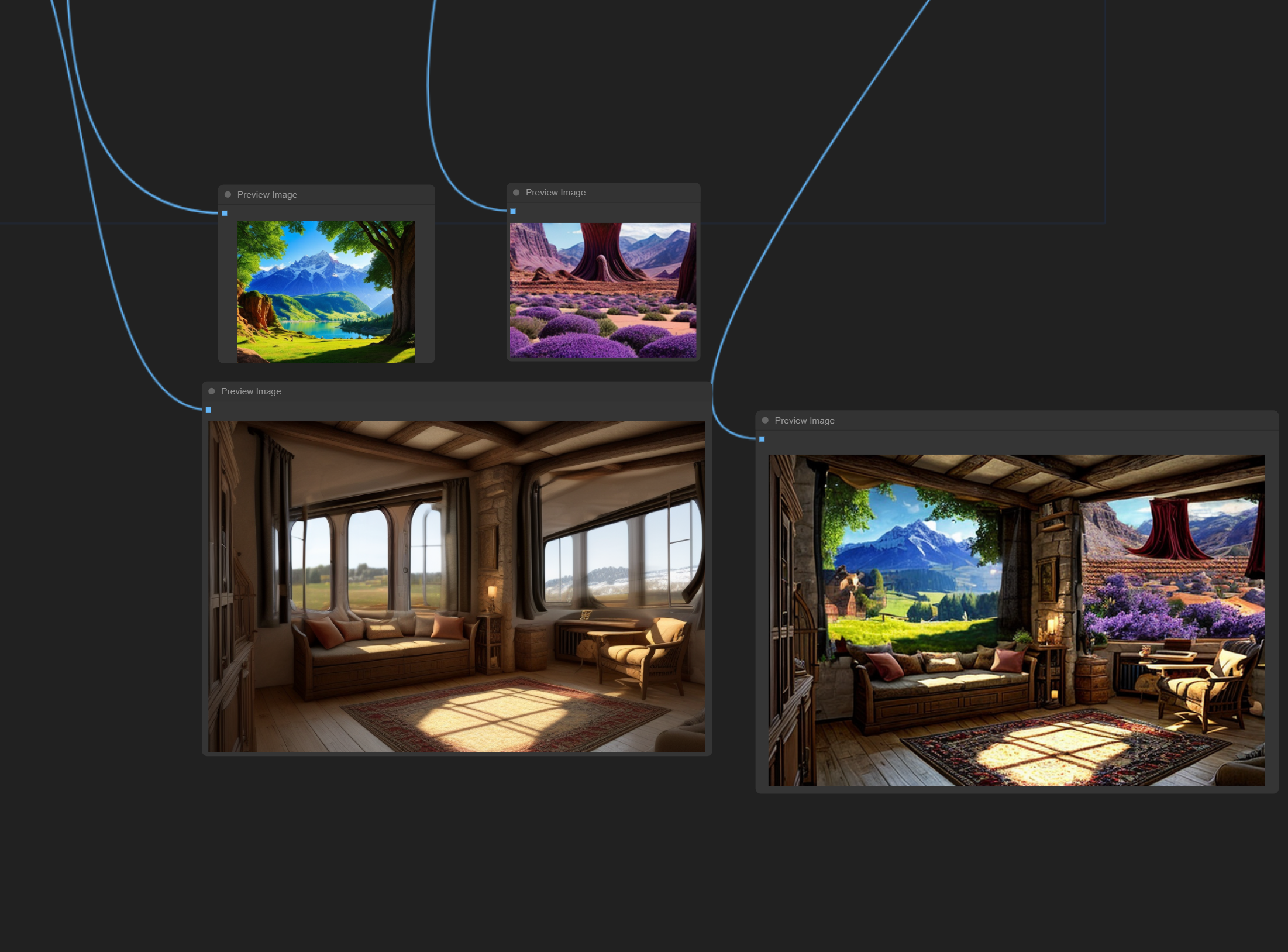
I like the explaination and the work behind your picture. Is the screenshot from blender?
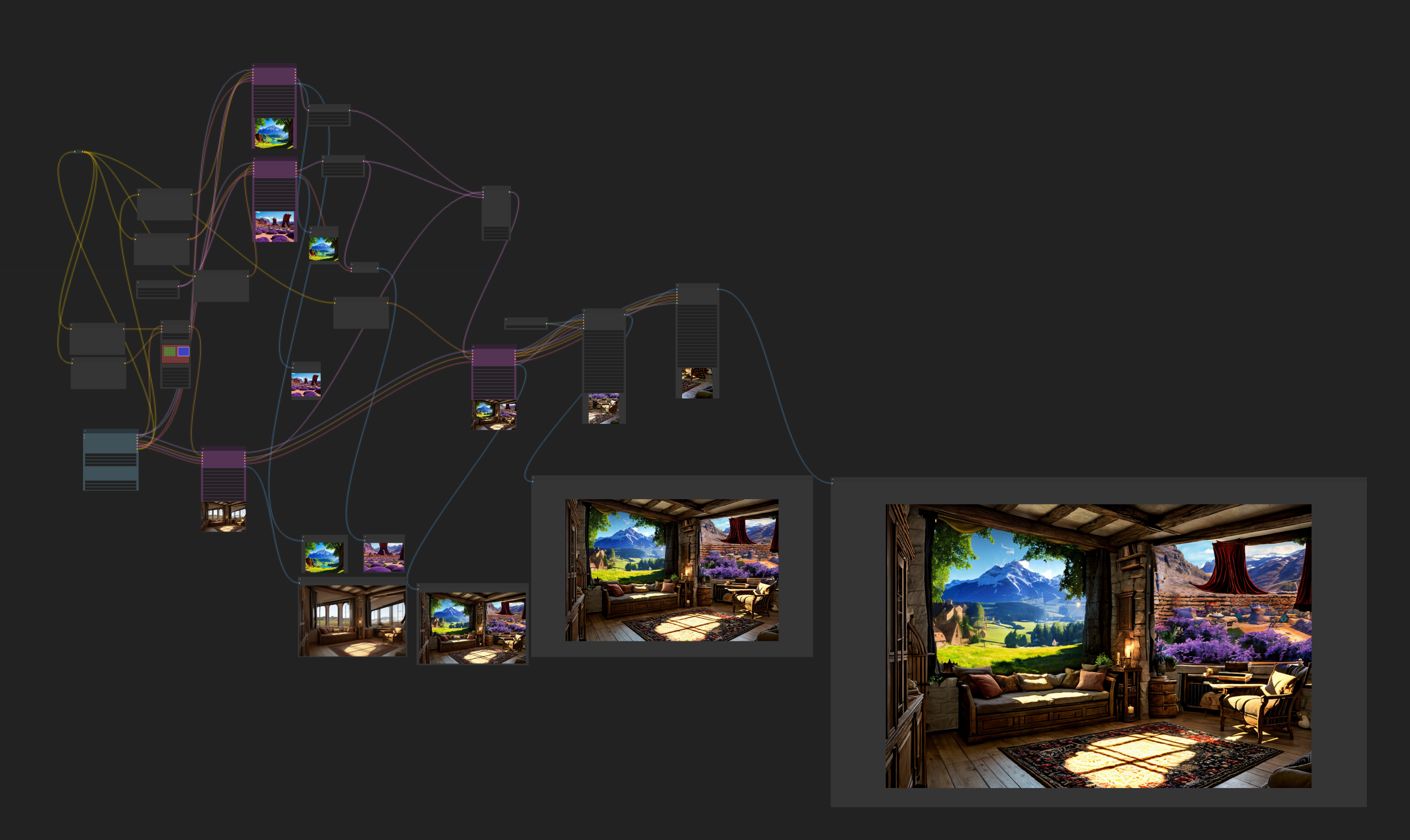
The screenshot is from the comfyui interface. Here is a full view of the workflow (the workflow can be imported in your local comfyui instance if you drag the original picture of my post into the comfyui interface [You may have to install some custom nodes]) :
Wow, this looks very impressive. Is it difficult to learn this tool?
The wide variety of nodes can be a bit overwhelming but in general it is a logical process with many good youtube tutorials. I had a little experiennce with the node concept from blender but i think even without that it is easy to use. The Bigger Problem will be your disk space when you sudenly have 50 different Models on your harddrive ;-)